
Updates
Updates
Staff announcements and everything that went live on the server, with date and time. Click an update to see the details.
Server updates
Everything added to the game, the website and the launcher, newest first.
Today
Halloween: 50% bonus credits until Nov 2Promotion ·
Halloween bonus
- How much: every contribution from R$ 100 gets 50% more in bonus credits. Example: R$ 100 becomes 100 credits plus 50 bonus.
- Until when: only until Monday, Nov 2, at 23:59 (Brasília time).
- How: in My account › Credits › Contribute, via PIX. The bonus arrives as soon as the payment is approved.
- Rules: the bonus lasts 30 days and is used in the store. It does not stack with the fixed PIX bonus (you get the larger one) and is removed if the contribution is reversed.
Halloween invasion
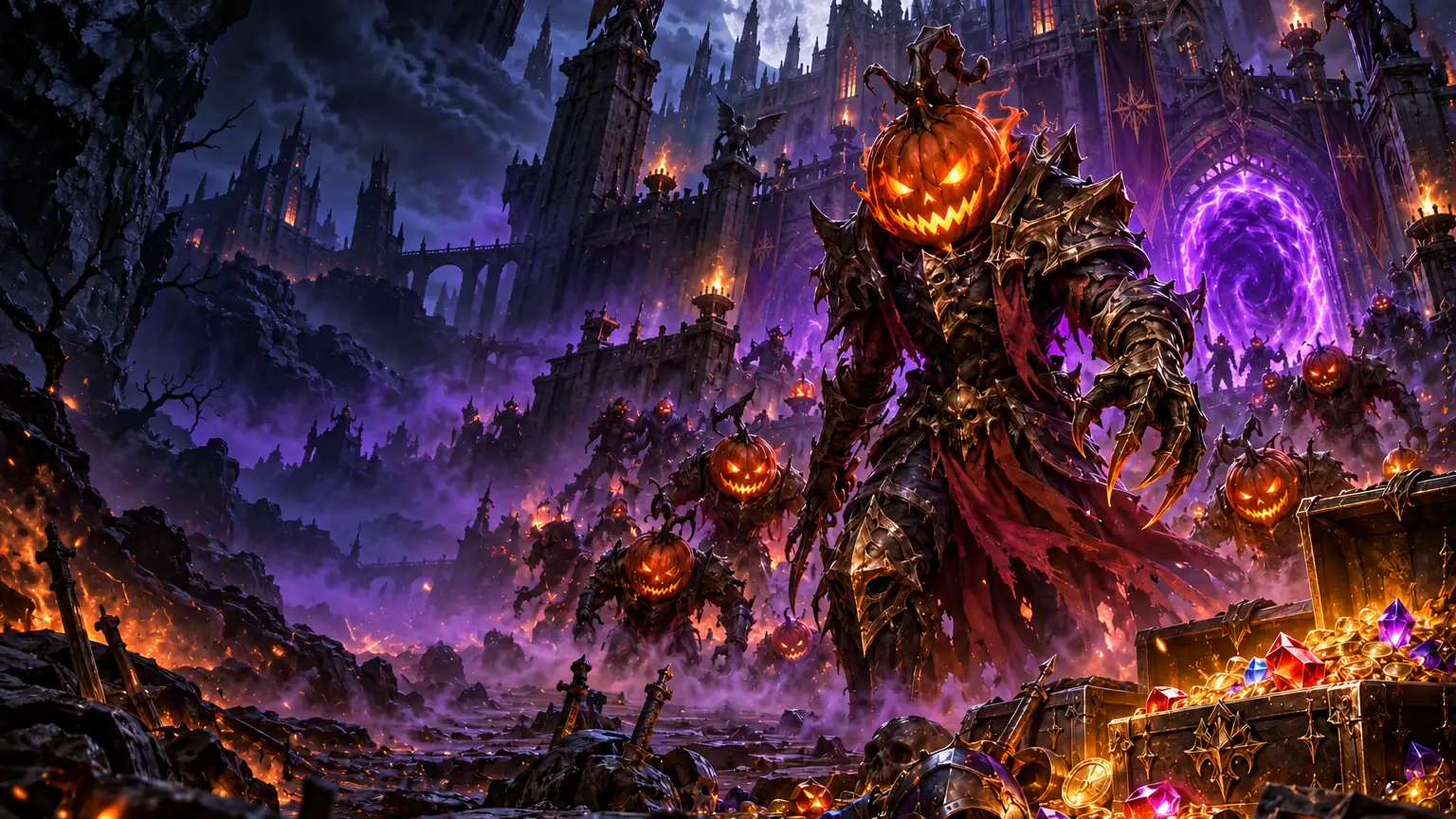
- Along with the bonus: the invasion runs until Nov 2, with pumpkins and prize boxes. Details are on the event page.
Monday, October 26
Mobile app updatedGame ·
What's new
- Login: world and room selection is bigger and easier to touch.
- Loading: loading image when entering the character appears fully again.
- Report bug: it became an in-game window, without freezing the keyboard.
How to get
- In the app: open the game and accept the update.
- On Google Play: the update arrives through the store.
Sunday, October 25
Next few days: organizing our updatesGame ·
MU Unit stays online and you can keep playing as usual.
Over the next few days, the team will focus on organizing the server's update process. The goal is simple: get upcoming fixes and improvements to you faster.
During this period
- Server online: the game keeps running as usual.
- Reports and suggestions: keep sending them. Everything is logged.
- Urgent issues: truly urgent problems, like not being able to connect, get immediate attention.
- Other requests: adjustments and new features are logged and come after this stage.
- Kundun and Relics of Kundun: will be adjusted. Meanwhile, the bosses in Room 1 are paused.
Talk to us
- In game: reply to Melkor's letter in your mail.
- On the website: open a support ticket or report a bug through the usual channels.
Thanks for being part of the beginning of MU Unit.
New Guild and Alliance System (Exclusive)Game ·
From this maintenance, MU Unit will have a unique guild system, made by us: the alliance no longer exists and the hierarchy lives within the guild, with roles, limits and auditing. No guild loses members, items or roles.
Unique guild
- End of alliance: the game will have only guilds, with a hierarchy within them; alliance requests will no longer work.
- Today's alliances: become a single guild. The main guild keeps the name and mark; allied guilds join it, their marks are removed and the master of each ally becomes Guild Master. No one is left without a guild.
- Existing roles: the vice and Battle Masters of each ally remain in their roles, now under their Guild Master; Staff also continue.
Roles
- Alliance Master (AM): the guild owner (the former master). Only he can appoint and remove Guild Master and Staff, declare guild war, enroll the guild in the Siege and register the crown.
- Guild Master (GM): up to 4 per guild, appointed by the AM with a reason, which is recorded. They recruit, expel and give Vice GM and Battle Master; if a GM loses the role, the roles they gave fall with them.
- Staff: 1 without GM and 1 more per appointed GM (up to 5). They recruit and expel members without roles; only the AM can give and remove.
- Vice GM and Battle Master (BM): the AM and each GM give 1 Vice GM and 3 BMs (with 4 GMs, up to 15 BMs). Each person has only one role, and only who gave the role, or the AM, can remove it.
- Member limit: 40 without GM; each appointed GM adds 20 (60, 80, 100 and 120 with 4 GMs).
- Guild above the limit: remains intact and no one leaves; it just does not recruit until a spot opens. Removing a GM also does not expel anyone.
- Leaving the guild: those with roles need to lose them first. The AM passes the position to a GM of the guild (outside the Castle Siege period) and becomes GM.
G window and chat
- G window: now has 4 tabs: Guild, Members, Voice and Audit. The Alliance tab is gone.
- Guild tab: guild summary (members, GM, Staff and BM), your role, the guild message, the result of the last Siege and the ongoing guild war.
- Members tab: list with search, filter by role and online status, who gave the role and the resets of each. Click on the member to appoint, remove role, expel or pass the AM.
- Audit tab: AM, GM and Staff see who did what (entries, exits, roles, guild war, Siege enrollment, Senior Mix, taxes and castle loot, Sign of Lord, Life Stone), with date, time and reason, from the last 90 days.
- Chat: the
@@is gone; the@speaks to the entire guild. - Character plaque: shows the guild and role, without the alliance line.
Castle Siege
- AM: only the AM enrolls the guild, withdraws from enrollment and registers the crown.
- Sign of Lord: only AM, GM and Staff deliver and see the count.
- Guards and gates: AM, GM and Vice GM summon guards and use the gate levers.
- Life Stone: one per leader, from the AM and each GM (up to 5 per guild); those who die reappear at the nearest one.
- Senior: outside the Siege, AM, GM and Staff of the guild owning the castle use the Senior (gates, statues, taxes and zen loot); the Senior Mix is only for the AM.
- Siege minimap: the AM and the GMs open the minimap and send commands to the entire side.
- Role spells: only those with the role use. BM: Stun, Cancel Stun and Swell Mana. AM, GM and Vice GM: Invisibility and Cancel Invisibility. AM and GM Dark Lord: Remove All. The costs in kills do not change.
- Lock during war: with the Siege in progress, no one appoints, removes or expels GM, and the AM does not pass the position; Staff, Vice GM and BM can change at any time.
- Guild war: only the AM declares.
- Demo bots: the leaders of the bots give BM, Vice GM and GM to whoever asks in the
@; the GM request only works before the Siege period.
Friday, October 23
Castle Siege DemoCS Character ·
What it is
- While the date of the official Castle Siege is being voted, the Valley of Loren hosts a demonstration Castle Siege at 12pm, 2pm, 4pm, 6pm, 8pm and 10pm: a 2-minute warning in every room and 1 hour of war; from midnight to noon there is no demonstration. ADMIN defends the castle and the Noldor, Teleri and Sindar alliances attack.
How to take part
- To watch, enter the Valley during the war: whoever has no side neither attacks nor takes damage.
- To fight, use your CS Character. During the pause, the masters Feanor (Noldor), Olwe (Teleri) and Thingol (Sindar) stand in Crywolf, next to the vault, with a sign and an announcement every 15 min: ask one of them for a guild. Only a CS Character without a guild is accepted, and at the end of each war everyone leaves the guild for the next round.
- The castle always goes back to ADMIN at the end; nothing from the demonstration counts for the official Siege.
You choose the date
- At Marce (Event Square), the "Siege Poll" asks on which day and time the first official Castle Siege should be: Sunday 15:00, Sunday 18:00, Saturday 17:00, Saturday 19:00 or Thursday 21:00. One vote per person (CPF), until Friday 10/31 at 23:59. Whoever votes receives in the inventory: Ring of Ice +9 with Zen, Ring of Wind +9 with Zen and Pendant of Lighting +9.
- The winning option becomes the official Castle Siege of the following week: the date shows on the site and alliance registration opens at the Valley NPC. Until then, the registration NPC says that registration has not opened yet.
More from October 202642 updates
Thursday, October 22
Shop purchases go directly to Trade VaultGeneral ·
From now on, everything you buy in the Shop (on the website, in the launcher, or in the X window in the game) goes directly to your Trade Vault, even if you are online.
If the item does not fit in the vault, the purchase does not happen and nothing is charged: free up space and buy again.
Items that were in the Shop Warehouse have already been moved to your Trade Vault. Pets with expiration dates remain in the Warehouse.
The Kits tab has also arrived in the website Shop: the complete set in a single purchase.Launcher: update available for those who had Windows Defender blockLauncher ·
We published a launcher update. If your launcher still opens, it will update automatically the next time you log in.
If the launcher stopped opening, download the installer again at muunit.com.br/download and install it over the current folder: the game, your account, and your characters will remain the same. If you need help, contact the team through support or Discord.
Notice: launcher blocked by Windows Defender on some computersLauncher ·
Some players reported that, when updating the launcher, Windows Defender blocked the MUUnitLauncher.exe file and the launcher stopped opening, even after reinstalling.
The team has already identified the issue and is working on it. If this happened to you, wait: we will notify you here as soon as the update is available. There is no need to reinstall the game, and your account and characters have not been affected.
Wednesday, October 21
Mobile App 0.7.32: joystick and touch barGame ·
Mobile App 0.7.32
- Joystick: walk only with the left joystick; tapping the ground no longer moves the character (those who prefer can enable "Tap the ground" in Options › Mobile).
- Attack: ATTACK button on the right with skills from the side page; the medallion changes the page. Double-tap ATTACK to lock the target.
- Target and pick up: the TARGET (optional, in Options) and PICK UP buttons are next to ATTACK.
- Bar: the same bar as PC, with larger potions and quantity on top, and the buttons Group, Character, Inventory, Market, AUTO UP, Events and Map (Store and Live when available).
- Minimap: starts closed; opens with the Map button.
- Everything from PC: the app brings the full client 1.0.481, with what was added today on the maintenance list.
- How to update: open the app and accept the update, or download it from muunit.com/download.
Tuesday, October 20
MU Unit official DiscordGeneral ·
MU Unit now has an official Discord, linked to your site account. It's our main network: updates, maintenance, and events are posted there at the same time they go live in the game, launcher, and site.
- How to join: access muunit.com/discord, accept the rules and click Link my account. In up to one minute you appear as Name · Character, with game roles (VIP, resets, castle, guild master).
- What's there: updates and maintenance, events and Castle Siege, forum and site market, support by ticket, our social media posts, and a community voice channel.
- One Discord per person: the link is made through your site account. No one from the team asks for your password, not even there.
Monday, October 19
Marce's Quiz in Event Square: get your UP KitGame ·
There's a new NPC in Event Square: Marce, with a quick quiz about MU Unit. Get everything right and take home an UP kit for your class.
- How to get there: when you log in you'll see the Quiz waiting for you notice. Click Do it now and the game takes you to Marce; when you're done, you go back to where you were automatically.
- How it works: 12 yes-or-no questions about Castle Siege, CS Character, guild voice, translated chat, Auto UP, AI and live credits. Got one wrong? Marce explains and you answer the same question again.
- The reward: set and weapon already upgraded and with options, a shield (for classes that use one) and a 1st wing, picked at random from your class's options, plus some zen.
- One kit per person (CPF), even with multiple accounts, always on your game character (the CS Character can't take part). If your CPF already claimed it, Marce tells you on which character. Leave inventory space before finishing: without space, the kit doesn't come out and you answer again later.
Sunday, October 18
New game interfaceGame ·
The game has a new interface, with a black and gold look. Inventory, chest, trade, shop, Auto UP, settings, menus, and character creation and deletion screens follow the same pattern.
- Already enabled: just open the launcher, it updates automatically.
- Prefer the old one? In the launcher, open Settings, tab Game, and change Interface to Classic. Valid for the next time you open the game.
- Can switch anytime, in both ways.
Thursday, October 15
Guild roles: Staff and alliance in the Members tabGame ·
The Guild Master can now appoint several members as Staff. The Staff removes members from their own guild and, in voice, speaks to the entire guild. In the Members tab (G), who is the master or Staff of an allied guild switches with the arrows to see the members of the allied guilds. The master of the main guild of the alliance can release masters and Staff from the allies to remove members there as well. Vice GM and Battle Master become missions of the Castle Siege, given in the same window. During the siege week (from Wednesday 12 PM until the end of the war), it is not possible to create or disband guilds; removing members remains allowed. Also on the Android app, starting from version 0.6.9.
Wednesday, October 14
CS Character fights only in Castle SiegeCS Character ·
The CS Character now only attacks during the Castle Siege war, within the castle map. Outside of it, he does not hit monsters or other characters, does not use Stern, and does not request or accept duels. Everything else remains the same: moves freely between Devias, Valley of Loren and Crywolf, /zen and the kit ready for the siege.
Stronger Magic Gladiator: weapon skills deal much more damageGame ·
Magic Gladiator got stronger: his weapon skills (Fire Slash, Power Slash, Spiral Slash, Twisting Slash and the other sword skills) now deal much more damage. To keep things balanced, the extra PvP-only bonus the MG had is gone and he now follows the same table as the other classes. In practice, these skills hit much harder than before in PvM; in PvP they go up a bit, while basic attacks and spells now follow the same formula as the other classes.
MU Unit now also on mobileGame ·
MU Unit is now on mobile! The Android BETA version can be downloaded directly from the download page, with a step-by-step guide to install on your device; after installation, the app updates automatically. iPhone and iPad coming soon. On the same page, the Share button sends the link to each platform via WhatsApp, Facebook, or wherever you want.
Monday, October 12
Auto Reset for Premium accountsGame ·
Now you can reset without stopping play. Open the UP window with F9, turn on Auto Reset and choose where to put your points: Strength, Agility, Vitality, Energy or Command.
When you reach the level, your character resets on its own and stays in the same spot, no teleport. While it's on, you earn less experience.
Available for Premium accounts.
Saturday, October 10
New Video Settings, Shortcuts, and InterfaceVoice ·
Now you can customize FPS, ping, and hide wings or capes directly in the settings menu. You can also customize your shortcut keys and better organize the game view.
Improvements in the Chest interface and new performance indicatorsAI ·
The chest system is more intuitive with new navigation buttons and the /chest command is now faster. You can also monitor your FPS and Ping directly on the screen, plus a new shortcut to the command list in the assistant.
Guild Emblem CustomizationServer ·
Guild leaders can now change their organization's mark directly through the Guild NPC. The change is applied instantly to all online players.
New Crown Time Ranking in Castle SiegeCS Character ·
Now you can track how long each player managed to hold control during the Castle Siege. Check the ranking of the best players directly on the official website.
Friday, October 9
All events now in Event SquareGame ·
Blood Castle, Devil Square, Chaos Castle and Illusion Temple now all start in Event Square, which is one for all rooms: there you find the players from the other rooms and, when you leave, you return to yours. Go with /move EventSquare or through Move (key M), from level 15. The NPCs of these events in Devias and Noria show the way. If Move does not take you, close and open the launcher to update.
Fell in Chaos Castle? You go back insideGame ·
If your connection drops during Chaos Castle, log back in with the same character and you go back to the castle with your points. It works while the floor hasn't started falling yet.
Safe exchange: exchange safely directly from the safeGame ·
Now you can exchange the entire safe with another player, safely. Open your safe, click on the exchange icon at the bottom and type the character's name. It works in any room. When he accepts, each one sees the other's safe, items and zen, before closing the deal, and the exchange only happens when both confirm with the personal number. While the exchange is open nothing enters or leaves the safes, and in the end each one already sees the new safe open. The /tradebau Name command still works.
Windows with standardized lookGame ·
Inventory, character, safe, exchange, Chaos Machine, NPC shops, guild, Market, Store, Voice, AI and Jewel Bank gained icons, tabs and buttons in a single pattern, with the texts fitting perfectly in the buttons in Portuguese, English and Spanish.
Revamped bosses and more rewardsGame ·
Bosses now keep up with the server's pace and get stronger as the server progresses. Kundun and the Kalima 6 and 7 bosses use their skills again, Chaos Castle now gives jewels in every event, and Golden invasions drop Box of Luck, +3 to +5 boxes and jewels.
Opened the site on your cell phone? Send the link to your PCSite ·
MU Unit is a PC game. On mobile, the Download now button offers to send the link to your computer via email or WhatsApp, or to copy the link. Those who create an account on mobile receive an email right away to download on PC.
Thursday, October 8
Jewel Bank: save your jewels in your accountGame ·
Press J or click the jewel button at the bottom of the inventory to open the Jewel Bank. Save Bless, Soul, Life, Creation, Guardian, Gemstone, Harmony, Chaos and the two refining stones, loose or in packs of 10, 20 and 30, and withdraw when needed, on any character in the account. With this, the Item Shop moved to the S key and the Market to X.
Mini bosses across the maps and better event rewardsGame ·
Zaikan, Hydra, Balrog, Ice Queen and Gorgon show up from time to time on the maps where people are leveling, and the event schedule shows when they're alive. Rewards went up too: Blood Castle with Large SD, Complex and Box of Kundun +4, Chaos Castle with Box +3 and +4, Devil Square in the higher rooms with Box +4 and jewels, plus more zen per gate and per room.
Event schedule and invasions inside the gameGame ·
An Events bar on the screen shows the next event and how much time is left to start. Click on it or type /event to open the list with all events, invasions and bosses, with live time running, and never miss the start of any event.
Chaos Castle with explosions and lightningGame ·
In Chaos Castle, monsters explode when they die, damaging anyone nearby and pushing players back, and lightning strikes from time to time during the fight. Monsters get stronger depending on the room, which is based on your character's resets. The events guide on the site explains each hazard.
Instant translator in chatGame ·
Whoever writes in another language appears in your chat already translated, marked with ». Valid for general chat, party, guild, alliance, whisper and /post, between Portuguese, English and Spanish. The translator button on the chat bar chooses whether you see the translation or the original text.
Website in Portuguese, English and SpanishSite ·
The MU Unit website is also in English and Spanish: choose the language at the top of the page. The launcher and the game also have the three languages.
New in-game item shop: S keyGame ·
The Shop now opens on the side of the screen with the S key, next to your inventory. Items are in tabs: Weapons, Shields, Armors, and Others (rings and pendants), with a thumbnail of each and showing first what your class uses. Armors appear by set. Choose Luck, Skill, and excellent options right below the item, check the price, and buy with Site Credits. Opens in cities (safe zone). And there are new keys: X opens the Market, J the Jewel Bank, F9 the Auto UP window, and Home turns Auto UP on and off.
Christine sells the invitations in Event SquareGame ·
In Event Square (M key, EventSquare), Christine stands right at the arrival point and sells the event invitations: Blood Castle, Devil Square, Chaos Castle and Illusion Temple. Each event has its own entry NPC in the square: Blood Castle to the southwest, Devil Square to the southeast, Chaos Castle in the center and Illusion Temple to the north, each area with a vault, Lumen and Chaos Goblin nearby.
Reset with the Reset NPC, in Lorencia and NoriaGame ·
Reset is now done by talking to the Reset NPC, in Lorencia (121, 123) and in Noria (189, 127). If you type /reset, the game tells you where it is.
Wednesday, October 7
Choose your connection city and reduce pingLauncher ·
The launcher now offers routes by city, such as São Paulo, Rio de Janeiro and Miami. Use the Measure button to automatically find the route with the lowest latency. The system also optimizes your connection with IPv6 when available.
New loading tips about AI, Market and ProgressionAI ·
The game now features new loading tips to help you better understand Artificial Intelligence, the Market, and Progression.
AI on F12 and game tray improvementsAI ·
The AI now opens on F12 only when the game is in focus and the window can be switched more easily.
Tuesday, October 6
Found a bug? Use /report in the gameAI ·
Type /report in the game and tell us what happened: the team receives it instantly. Confirmed report earns a prize in the Trade Chest.
Security token also in the gameGeneral ·
With the token activated in My account › Password and security, it also protects game login, in addition to the site.
Personal number protects your character and your vaultGeneral ·
Deleting character, accessing the vault and disbanding guild now require your personal number in all rooms. See or change the number in My account › Password and security.
Identical items now stack in the inventoryGame ·
Portals, Lost Maps and other identical items stack automatically in the inventory, up to 20 per stack, with the quantity on the icon. Pots from Crywolf and Land of Trials stores remain separate.
Monday, October 5
Characters and guilds can use "_" in the nameGame ·
Now you can use the "_" symbol in character and guild names.
Email at each stage of your withdrawalMarket ·
You receive an email when your Market withdrawal is paid or returned.
Withdraw Market earnings via PIXMarket ·
The credits you earn selling in the Market can now become money via PIX, with rules for each type of balance.
Credits: one coin for everythingGeneral ·
Credits are now the server's currency: with the same balance you buy Premium, use the AI and trade in the Market.